23.Submission
23.1Definition
Figure 23-1.Server-Client Communication
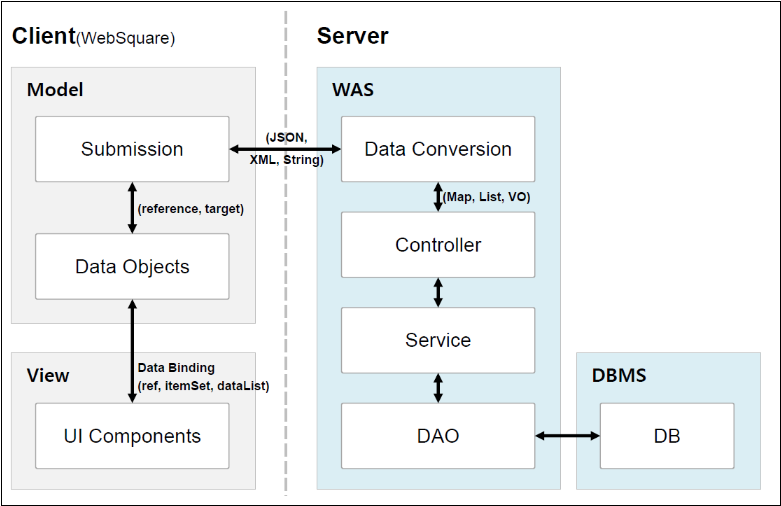
Designed for the data communication with the server, the Submission is implemented in AJAX. The submission has following features.
- Features
The data to receive from or send to the server must be defined as a DataCollection.
Only sends data without refreshing the page.
Supports both synchronous and asynchronous communication.
Functions to handle events before/after data communication can be defined.
Submissions can be dynamically created by scripts.
Properties other than the ID can be dynamically changed.
- Recommendations
Create a different submission for each purpose (for easier maintenance.)
A common module is recommended for the data communication for the UI display.
- Typical Order:
(1) Write page UIs.
(2) Create a DataCollection to define the data forms to exchange between the browser and the server.
(3) Bind page UIs with the DataCollection.
(4) Create a submission.
(5) Define an event to execute the submission.
23.2Submission vs. AJAX
The developer can define a submission or directly developer a AJAX communication module for the data communication.
By writing an AJAX communication module, the developer can call the server without creating a submission.
The following compares the submission and AJAX.
Submission | AJAX | |
|---|---|---|
Features |
|
|
Strength/Weakness |
|
|
Application |
|
|
var reqstr = '<request>'
    + '<data value="efg">ABCD</data>'
    + '</request>';

$p.ajax({
      action : "http://localhost:8090/developGuide/getAjax.jsp",
      mode : "asynchronous",
      mediatype : "application/xml",
      method : "post",
      requestData : reqstr,
      type : "xml",
      beforeAjax : function(e) {
        WebSquare.logger.printLog("beforeAjax call");
      },
      success : function(e) {
        alert(e.responseText);
      },
      error : function(e) {
        WebSquare.logger.printLog("error call");
      },
      requestHeader : {
        sendData1 : "123",
        sendData2 : "456"
      }
    });
Options | Description |
|---|---|
options.action | AJAX requesting address |
options.mode | asynchronous(default)/synchronous |
options.mediatype | mediatype |
options.method | get/post/put/delete |
options.requestData | Request string (text data) |
options.timeout | AJAX request timeout In case no response arrives within the timeout, the error callback function will be executed. |
options.type | xml or json. In case of xml, an xml object is set in the responseBody property of the success callback function. In case of JSON, a JavaScript object is set. In other cases, the text format is set. |
options.beforeAjax | Executed before the request. When this function returns false, no AJAX request will be made. |
options.success | The callback function executed upon a success of the request |
options.error | The callback function executed upon a failure of the request |
options.requestHeader | Object setting a value in the request head |
23.3Submission & DataCollection
DataCollection | Submission |
|---|---|
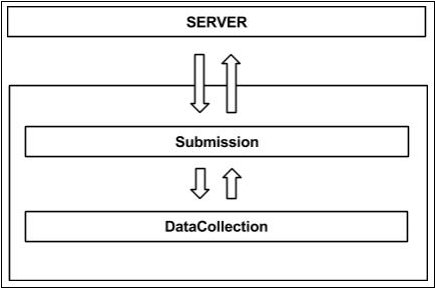
Data model of the WebSquare5 designed to more easily display large-volume data. | Defines the data communication with the server through the DataCollection. |
In other words, in case data communication between the web browser and the server is necessary, write a DataCollection and define a submission. (This part of the document mainly describes the submission. For more information about the DataCollection, see 16. DataCollection part.)
Figure 23-2.Submission Vs. DataCollection
23.4Creating Submissions
23.4.1Creating in Studio
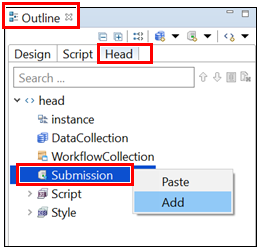
Select Outline – Head view.
Right-click Submission, and select Add.
Figure 23-3.Creating Submissions
When the following window shows up, enter corresponding information.
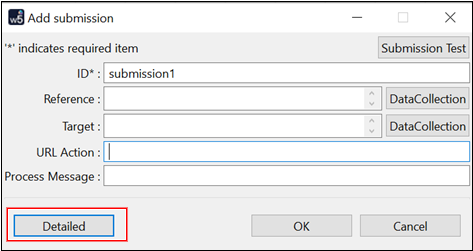
Item | Description |
|---|---|
ID | Submission ID. |
Reference | Format of the data to send to the server. (Select after clicking DataCollection button. Note, however, that the DataCollection must be predefined.) |
Target | Format of the data to receive from the server. (Select after clicking DataCollection button. Note, however, that the DataCollection must be predefined.) |
URL Action | URL of the server from which the data is to be received. |
Process Message | Message to be displayed during execution of the submission. |
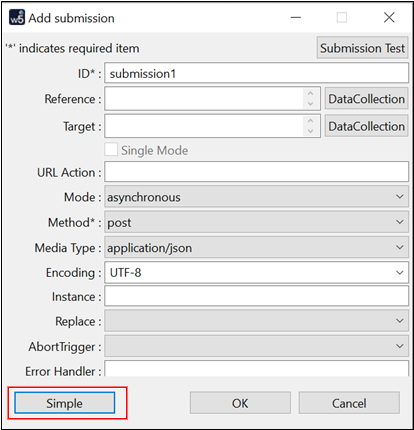
By clicking Detailed button, view the details of the submission. To return to the previous view, click Simple button in the lower part.
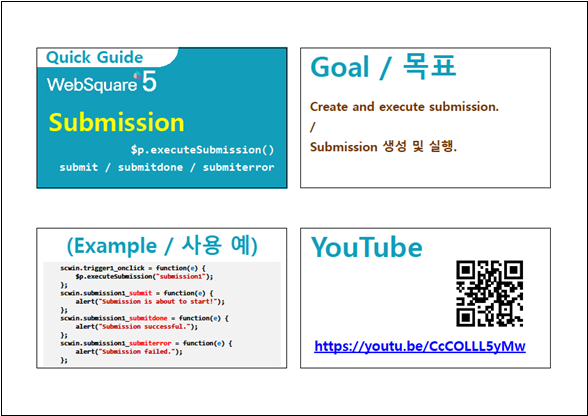
Download from the Internet or
View in WEBSQUARE_DEV_PACK(/$p/Submission/$p_executeSubmission_Submission/)
Figure 23-4.YouTube Video (https://youtu.be/CcCOLLL5yMw)
23.4.2Dynamic Creation
The developer can also dynamically add a submission using APIs as shown below.
$p.createSubmission ( temOpt );
Create a submission object as in the following example. The properties are same as those defined in the Submission Creation window.
var tmpOpt = {
    id : "sub_getUserXmlMapData"
    , ref : "data:xml,dc_reqCode"
    , target : "data:xml,dc_resUserMapData"
    , action : "/data/sampleData_xml_dc_map.data"
    , mediatype : "text/plain"
    , submitDoneHandler : function(e){
        alert(e.responseText);
    }
};

// Create a submission.
$p.createSubmission( tmpOpt );
A submission alone is to enough to enable data exchanges.
23.4.3Async Mode Recommended (Sync Mode Warned)
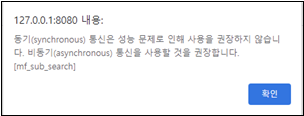
It is recommended to execute the submission in the asynchronous mode.
Figure 23-5.Async Mode Recommended
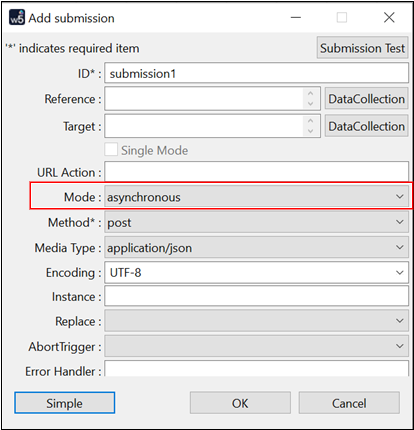
If config.xml file has <warningSyn> setting as "true", a warning message will be generated for a synchronous-mode submission.
Code 23-1.Example
<WebSquare>
    <notRecommended>
        <warningSync value="true"/>
    </notRecommended>
</WebSquare>Figure 23-6.Warning Message for Sync-mode Submission in Studio
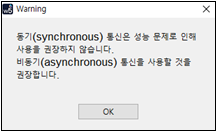
Figure 23-7.Warning Message for Sync-mode Submission in Browser
23.5Adding Events
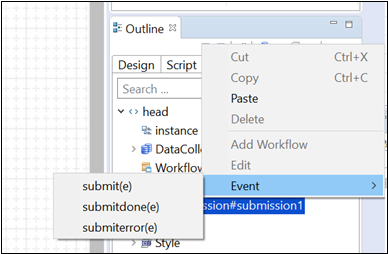
Go to Outline – Head view, right-click Submission, and select Event.
Figure 23-8.Submission Events
Event | Description |
|---|---|
Submit | Pre-processing upon a Submission Request |
Submit-done | Submission Execution |
Submit-error | Actions upon a submission error |
23.5.1submitdone(e)
e object key | Description |
|---|---|
e.id |
|
e.resourceUri |
|
e.responseHeaders |
|
e.responseStatusCode |
|
e.responseReasonPhrase |
|
e.responseBody |
|
e.responseText |
|
e.responseHeadersJSON |
|
e.responseJSON |
|
23.5.2submiterror(e)
e object key | Description |
|---|---|
e.id |
|
e.errorType |
|
e.resourceUri |
|
e.responseHeaders |
|
e.responseStatusCode |
|
e.responseReasonPhrase |
|
e.requestBody |
|
e.responseText |
|
e.responseHeadersJSON |
|
23.6Execution of Submission
In order to exchange data, the created submission must be executed.
Execute a submission using $p.executeSubmission API as shown below.
Code 23-2.Example
$p.executeSubmission ( submission id );
23.7Aborting a Submission
Add abortTrigger="true" setting to display the Cancel button on the page to abort the submission. Upon the end user’s clicking the Cancel button, the submission will be aborted.
In case the submission of the specified ID is currently running, the submission will be also aborted.
Code 23-3.Format
WebSquare.ModelUtil.abort( "SubmissionID" );
23.8Not Sending When Data Is Empty
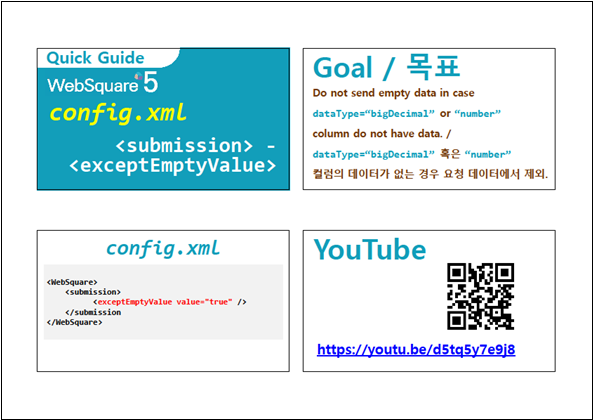
In case dataType=“bigDecimal” or “number” column is empty without data, such columns may be excluded from data sending. Open config.xml file, and set <exceptEmptyValue> as shown below.
Code 23-4.Example
<WebSquare>
    <submission>
          <exceptEmptyValue value="true" />
    </submission
</WebSquare>Download from the Internet or
View in WEBSQUARE_DEV_PACK(/_config.xml/exceptEmptyValue_config_xml/)
Figure 23-9.YouTube Video (https://youtu.be/d5tq5y7e9j8)